Hi @apoorv-2204 ,
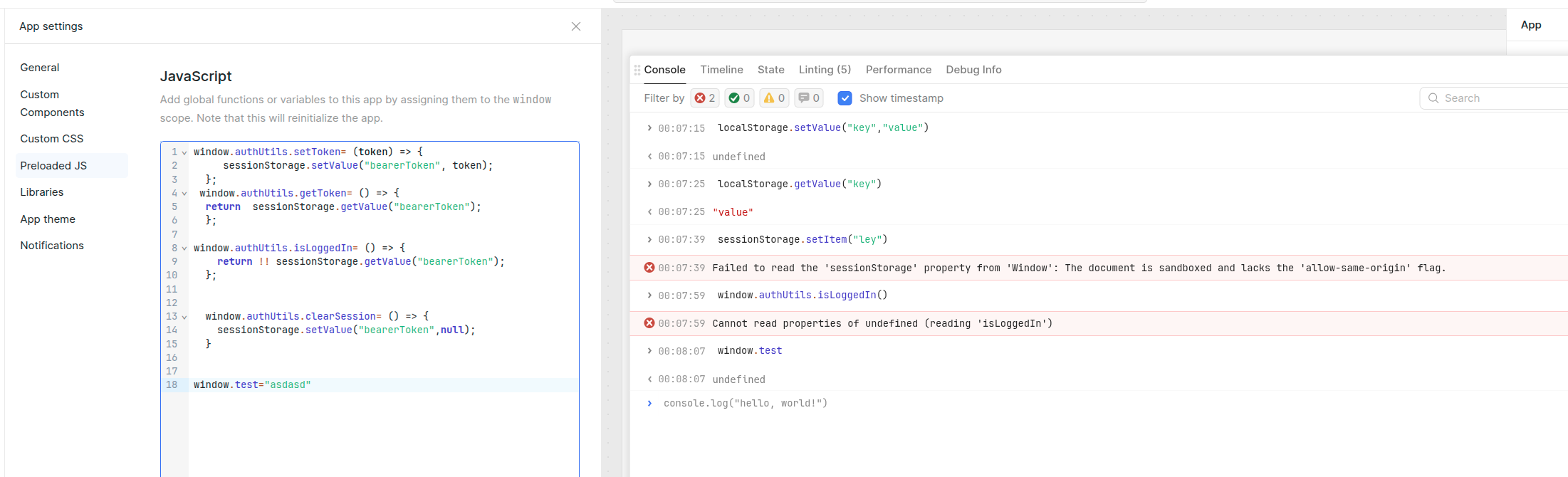
Retool apps run inside a sandboxed iframe, so browser APIs like window.sessionStorage and the native window.localStorage are blocked. You can’t rely on browser storage in the usual way inside a Retool app.
Instead, use Retool’s built-in state mechanisms:
- Retool
localStorage - Temporary State
- current_user metadata
For example:
localStorage.setValue("key","value1")
Then
localStorage.getValue("key")
will return
"value1".
2 Likes
thanks.
What if i have to store a bearer Token what would be the best practice
Hello @apoorv-2204!
If you are using a bearer token, you’d want to store it at the resource level which will then apply your authorization headers when you use the resource in an app/workflow.
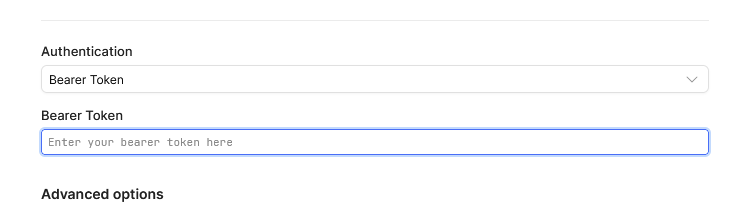
If you need to call upon a separate endpoint to obtain the Bearer token, you would use the Custom Auth option and choose the appropriate authorization type:

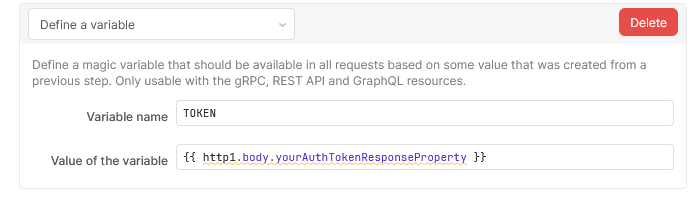
The return of this would be set with the “Define a variable” option as a next step in the Custom Auth flow:
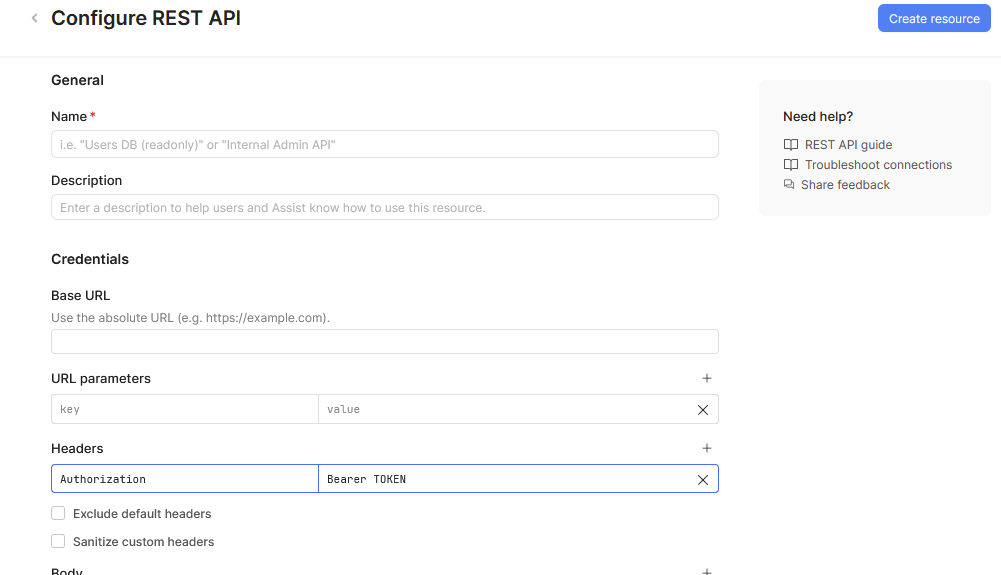
Then you define the final header setup near the top of the resource settings:
3 Likes
I have already tried that, But the issue is after authentication I have to redirect the user to our dashboard home, And Resource auth dont support conditional navigation.
How to proceed further?
I would suggest maybe looking into the current_user metadata as suggested by @Shawn_Optipath. You could also pass the token as a hash parameter to the dashboard URL. These don’t seem like the most secure options and I feel like there is a deeper issue with how you are redirecting your users after authentication but I don’t have enough data points to be sure.
Would you be able to share a generic overview of your process flow for us to investigate what might be the best practice for your use case?
1 Like
we have our own graphql backend which will offer authentication and access control.
So users will visit this dashboard, login via email and password valid with our system which will provide auth Context and access control.
Our system is going to do signup/signin and access control with the graph ql backend
After your signin mutation returns the token, store it in Retool’s session storage with:
localStorage.setValue("authToken", loginQuery.data.accessToken);
Then, in the same success handler (or an immediately following JS block), navigate:
utils.openPage("dashboard/home");
From there you could include that stored token in future API calls either by manually including it in headers:
Authorization: Bearer {{ localStorage.values.authToken }}
Security Notes on localStorage.setValue()
This is scoped to Retool’s UI session — it’s not the same as writing directly to browser localStorage manually in JS (which can have security risks). Within Retool’s context it’s the supported way to persist a small session token.
If you require extremely tight security (e.g., refresh tokens, rotating tokens), you might need a backend token management layer or an identity service as @pyrrho suggested.
1 Like
Are you talking about custom auth on resource? or a custom built loginpage. Kindly take a look at this. It only provides a simple model , but I would like to have custom auth page.
kindly see this custom auth
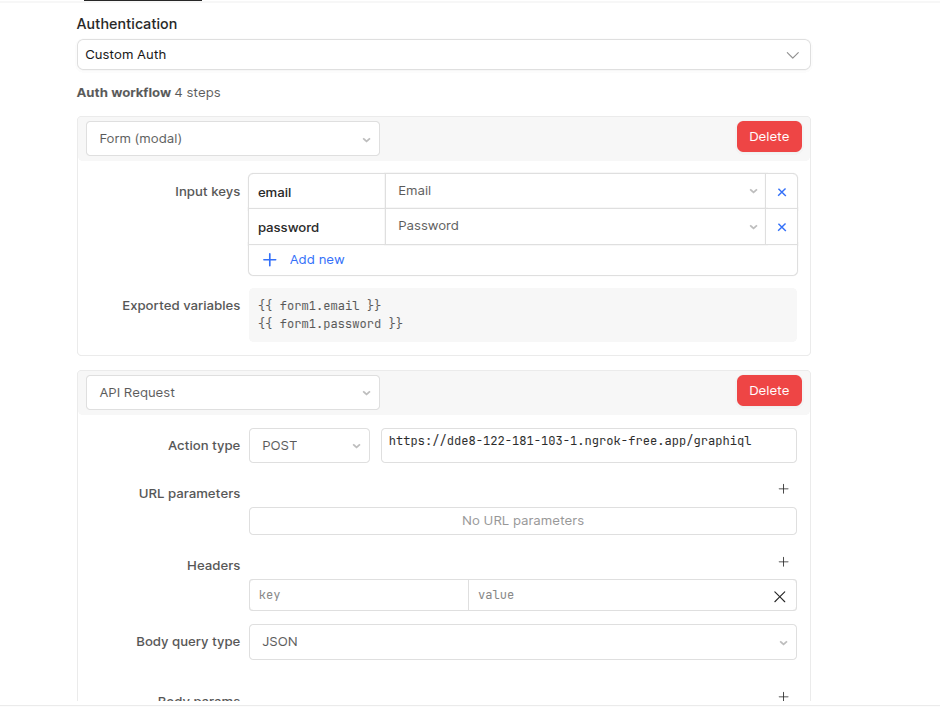
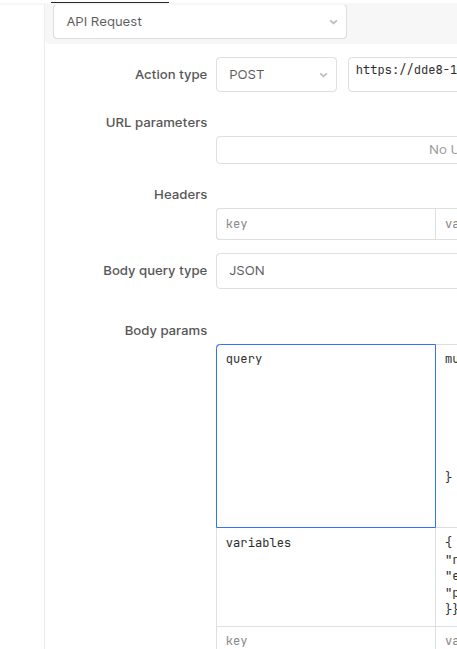
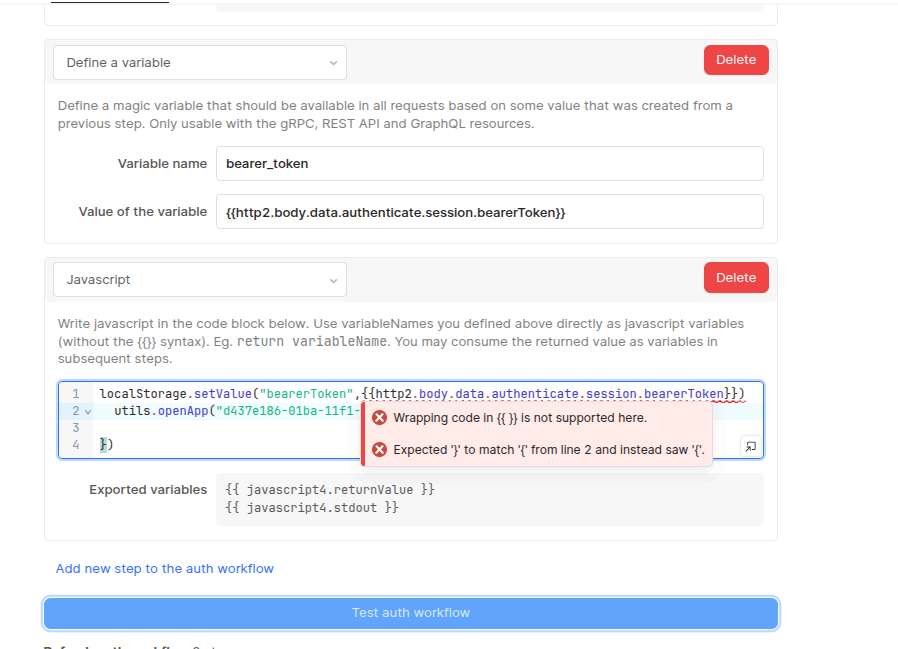
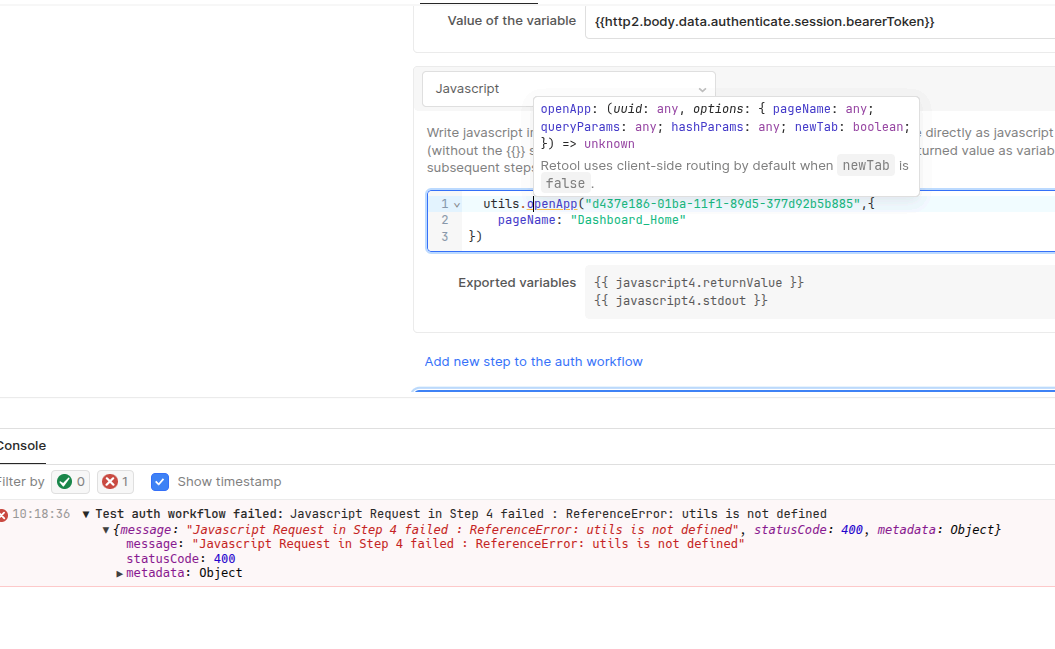

After successful auth how to redirect to my own app. There are no event handlers. It would also be required to access bearerToken in future queries
Hi @apoorv-2204 ,
Busy weekend and meetings for a couple of hours. Hang in there!
1 Like
@apoorv-2204 maybe Office hours would be best to walk through what you are trying to do and looking at a few possibilities. There is one tomorrow 11 am -12 PST. I can try to be there.
1 Like
Can you confirm whether Retook can:
-
Use our existing authentication mechanism (no vendor-managed auth), and
-
Call our GraphQL backend directly from the CRM (without requests being proxied through Retool or a third-party vendor layer)?
Any details on limitations, required configurations, or best-practice approaches would be very helpful.
Thanks,
Apoorv
Hi @apoorv-2204 ,
Yes — Retool can support both of those requirements, with a few clarifications.
1) Use your existing authentication mechanism (no vendor-managed auth)
Yes. Retool does not require vendor-managed authentication.
You can use your existing backend auth in two main ways:
- Resource-level Custom Auth (recommended if your backend issues a bearer/JWT token). Retool runs your auth workflow, extracts the token, and automatically reuses it for future requests to that Resource.
- App-level login flow, where your login page calls your GraphQL signIn, stores the token using Retool’s storage APIs, and attaches it to subsequent queries.
Important note: Resource auth is designed to obtain and manage credentials.
Redirects/navigation should be handled in the app (e.g., in a query success handler), not inside the auth workflow.
2️) Call your GraphQL backend directly from the CRM
Yes. Retool can call your GraphQL backend directly.
In Retool Cloud, requests are executed by Retool’s backend infrastructure (i.e., they originate from Retool’s servers).
Best-practice approach
The simplest, cleanest pattern is:
- Create a GraphQL Resource pointing to your backend.
- Configure Custom Auth:
- Login mutation
- Extract the bearer token into a variable (e.g., bearer_token)
In the Resource headers: Authorization: Bearer {{ bearer_token }}
- In your app:
- Trigger a query using that resource (which will initiate auth if needed)
- Redirect in the query’s Success handler using utils.openApp() or utils.openPage()
This keeps:
- Auth logic in the Resource
- Navigation logic in the App
- No manual token plumbing in Preloaded JS
If it would help to walk through your exact flow and make sure the pieces are aligned correctly, Office Hours might be the fastest way to do that. There’s one today from 11am–12pm PST.
@pyrrho , @Tess (I see you were following the other thread). Anything you can add/edit or help clarify?
1 Like
Yup will be joining
@Tess @ jack Thank you guys. The issue was resolved , will post the SS.
3 Likes
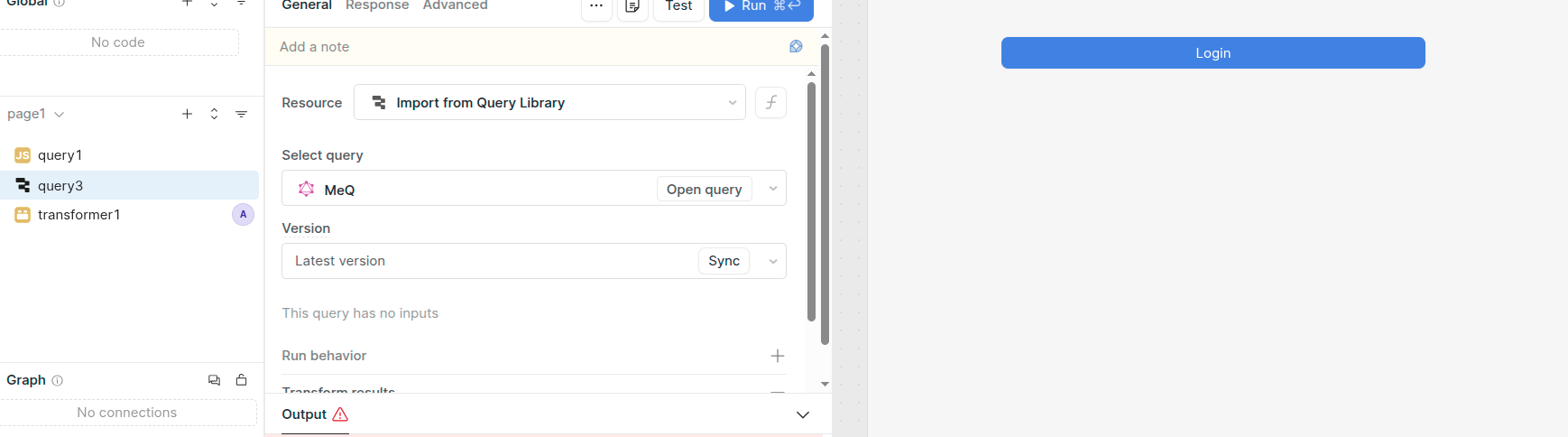
The resolution was to have a query run on page load, or periodically. I feel its not idiomatic solution or good User experience since we have to report whether the login was success or failure, leading to repetitive failure notification.
@Tess @Shawn_Optipath @pyrrho @Jack_T
Hi @apoorv-2204,
If you set up a JS query to run on page load, you can create a seamless user experience without relying on browser window APIs.
You can still add whatever logic you want inside the JS query (logging, alerts, retries, throttling, etc.) — but in a controlled way, so you avoid repetitive failure notifications.
Here’s a simple example of a page-load JS query:
// loginBootstrap — Run on page load

const isLoggedIn = localStorage.getValue("userIsLoggedIn");
if (isLoggedIn) return;

try {
  const res = await query3.trigger(); // your login/auth query

  // On success
  localStorage.setValue("userIsLoggedIn", true);

  // Optionally store token or user data here
  // localStorage.setValue("authToken", res.token);

} catch (e) {
  utils.showNotification({
    title: "Login failed",
    description: "Please try again.",
    notificationType: "error",
  });

  console.log("Login error:", e);

  // Optional: log to DB or send alert
}
3 Likes