Hi, I believe as of now for a table you can use setSort({ columnId: a, direction: "asc"}) to sort a table via scripts. However, I would like to be able to sort by multiple columns. I.e., sort by column a first, then column b. If I'm not mistaken, setSort only parses the first object passed to it. You can pass setSort({ columnId: a, direction: "asc"}, {columnId: b, direction: "asc"}), but the second object is not processed.
Hi @ryan_c! This is a great callout. I've filed a ticket internally for us to support this functionality.
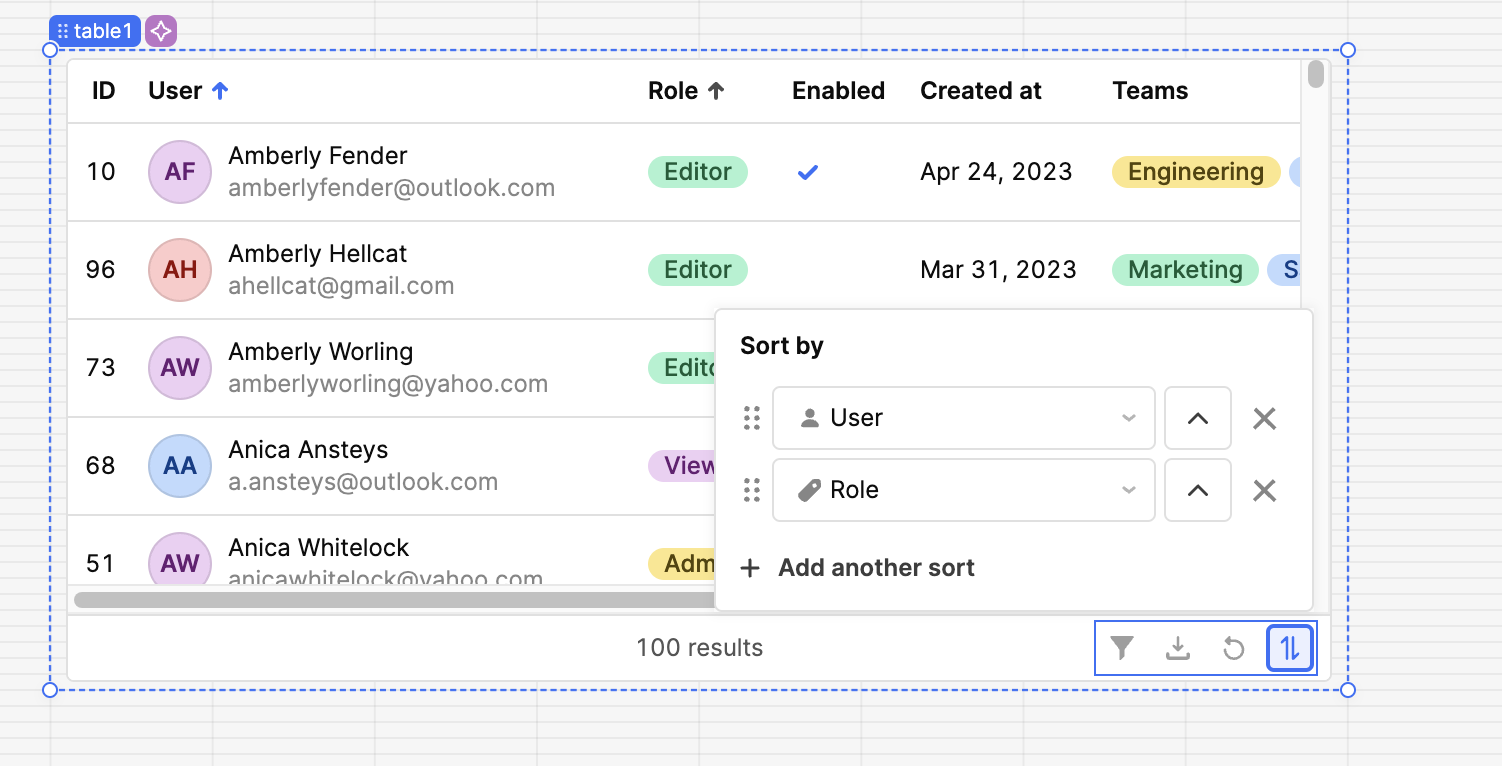
Also just wanted to point out in case you haven't seen this yet -- the Table toolbar now supports a "sort" button that you can use to configure multiple sorts on an end user basis! You can also shift + click the column headers to add additional sorts. But yes it seems there currently isn't a way to control the sort via scripts so stay tuned for updates there.
1 Like
Hi @mckenna, Thank you for the suggestion! I'll look into it in the meantime 
Following up here -- array support in setSort will be available in the 3.47 release (likely going out tomorrow)! So you should be able to write a script like
table.setSort([{ columnId: 'role', direction: 'desc'}, { columnId: 'name', direction: 'asc'}])
1 Like
hi @mckenna ,
is there any way to sort a column ascending order with empty values at the bottom ?
Scenario: say a column has 2 empty cell , then 1,2,3,....9 these rows, if you sort ascending it will be empty, empty, 1....9 and for descending 9...1, empty, empty.
I need 1...9, empty , empty
Let me know how can I get it .
Hi @mpmohi,
We have a feature request in our backlog for custom sorting - I can let you know if that request ends up getting prioritized!
1 Like