Hello Retool team!
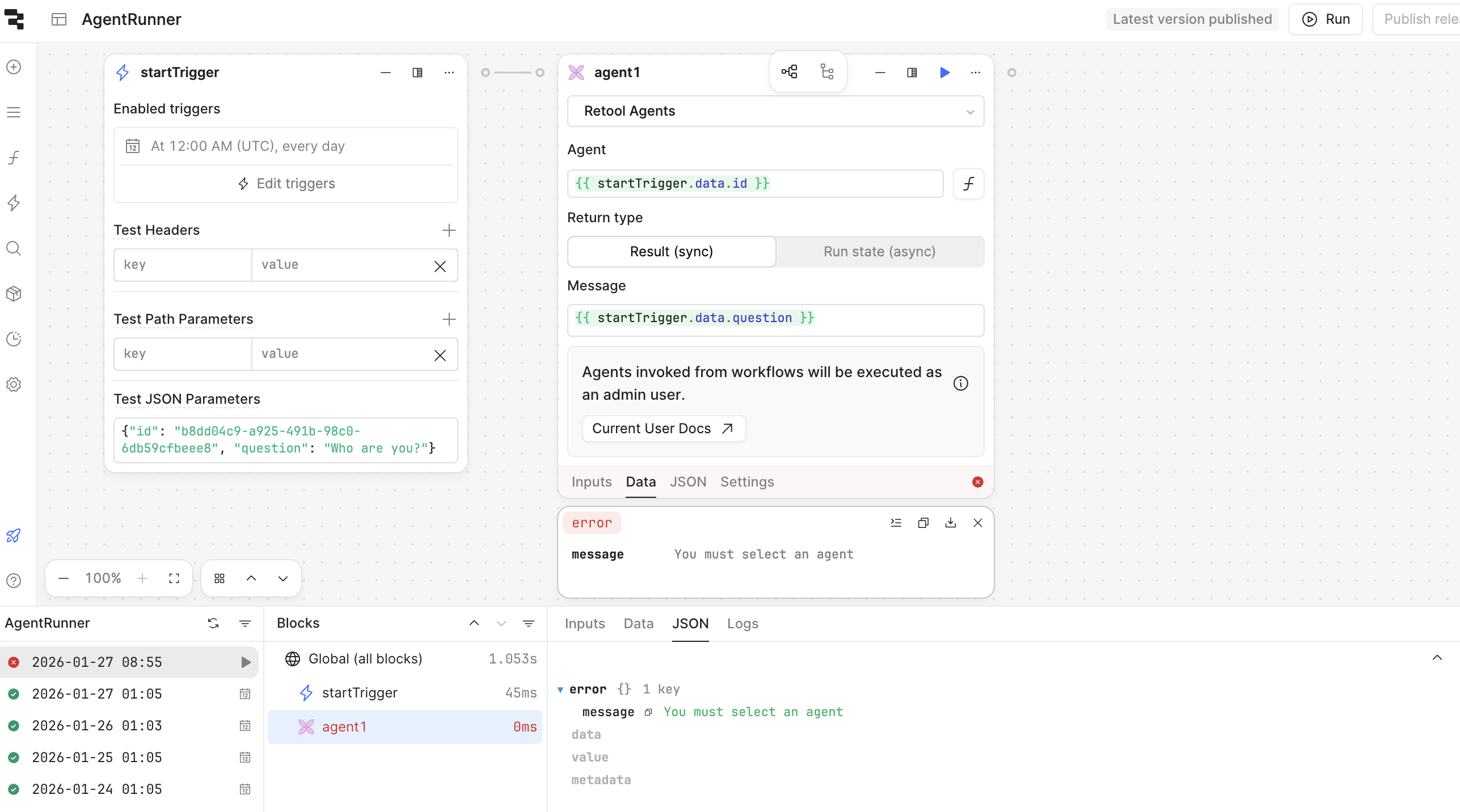
I’d like to know if the mentioned issue has some fix ETA, since it’s pretty bad making difficult to build more advanced and interesting apps/workflows with AI Agents:
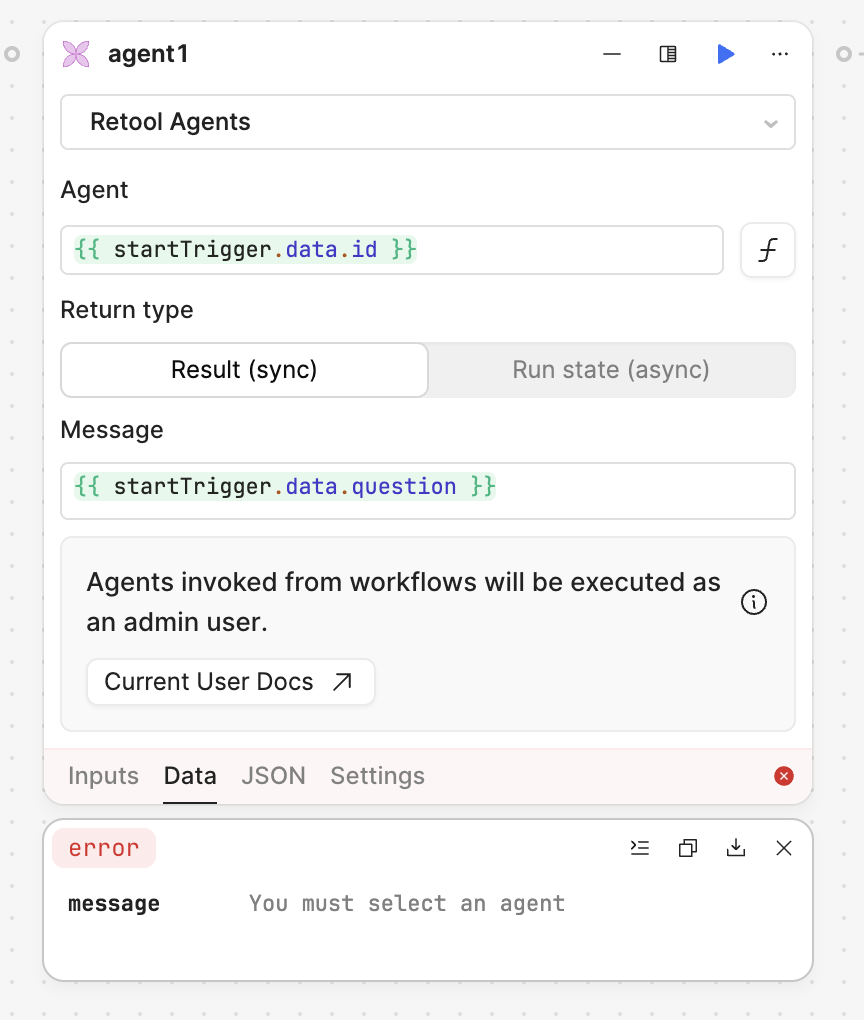
Thanks!
Hello Retool team!
I’d like to know if the mentioned issue has some fix ETA, since it’s pretty bad making difficult to build more advanced and interesting apps/workflows with AI Agents:
Thanks!
Hi @abusedmedia,
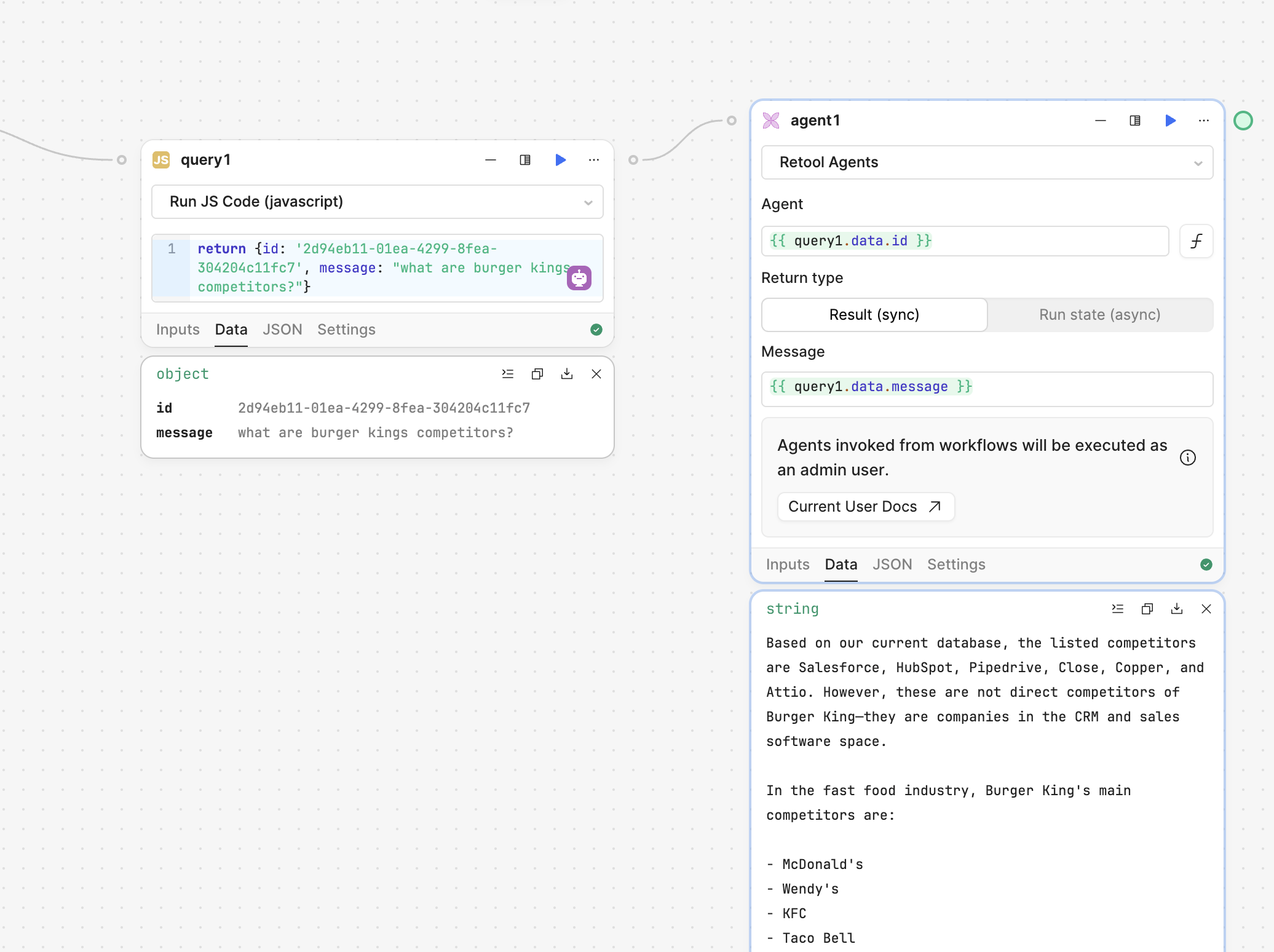
I just tried to reproduce the bug you are seeing but the Agent Block was able to get the Agent ID from another block.
Is there a chance you have the id in another data type? It worked for me as a string. Or could it be possible that the startTrigger does not have data in it at the time of calling the Agent block?
Hi @Jack_T
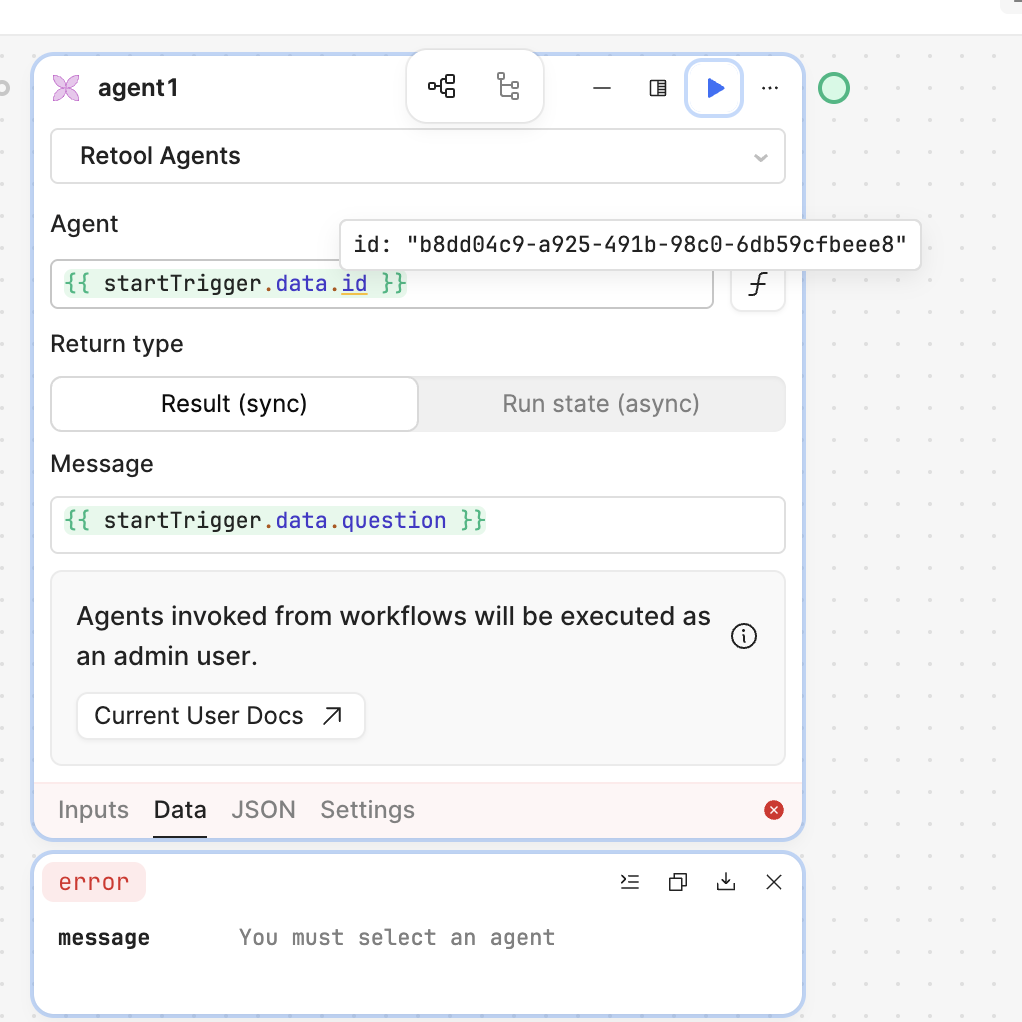
Unfortunately everything looks correct:
Here the evidence that id is resolved properly witin block:
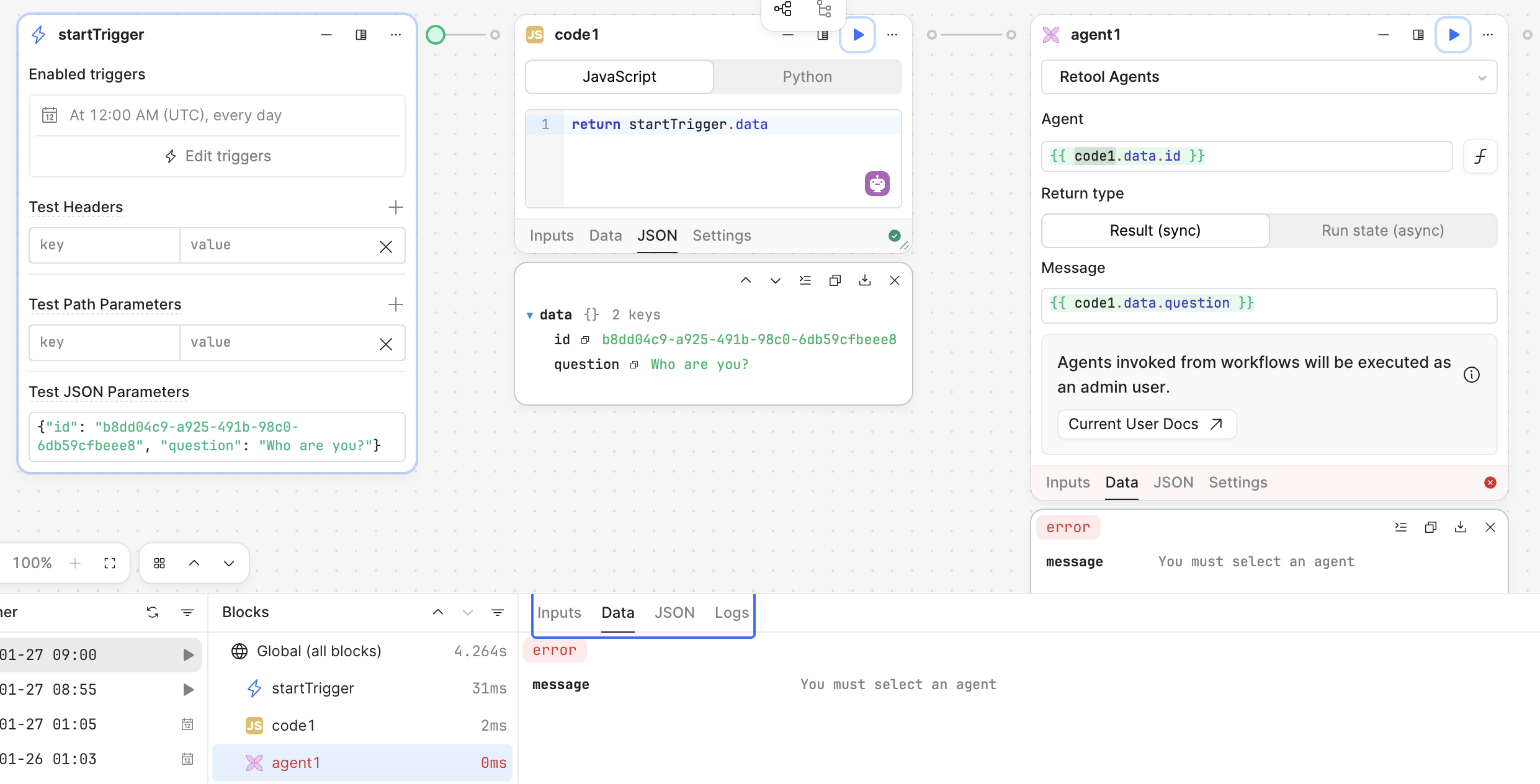
Tried also exactly your setting with a code block, same issue:
The issue is both on run the single block or the whole workflow, no differences.
Weird that in your case it works.
How is it possible?
Thank you for the further testing!
Very odd, let me ping the Agents/Workflows team and we can investigate this further 
I hate to say it but maybe the block/workflow is in a corrupted state for some reason and it thinks that you need to select an option from the GUI dropdown instead of interpolating the value from the {{}} which contains the necessary data.
Does this fail when you make a new workflow? Are you on cloud and could you share a workflow run ID?
Hi @Jack_T
Same on new workflow and even in other cloud Retool instance.
Here a workflow id with the issue: 9aaa8b9b-13e1-4b0f-a31d-8688107685e9
Best
Thank you for sharing that @abusedmedia!
I am working with a workflows engineer and they are not able to reproduce the issue on cloud 
Do you get the same error with different agent IDs? Does it work when you which our of FX mode and click this agent from the drop down?
Also when they go into the agent configuration and see its recent logs, are there any runs there from the workflow?
Hey @Jack_T
Found a way to create the issue:
{{ variable }}, that value won’t be changed anymore (you put an invalid value and it run correctly even the value is invalid), if you refresh the workflow, no matter the change (unless you add another valid static id) you see the last VALID STATIC value and not the last value (for example {{variable}})Hope this help.
Hi @abusedmedia,
Great find!
Just tested that out and confirmed what you found, once a valid value has been used in the Agent Block, the block will default back to this valid value when given an invalid value.
If an invalid value is first used, the block will continue to fail with the above error message until a valid value has been selected via dropdown.
If an invalid value has been used, there is no current way for the FX input field to work, it will continue to error until the drop down is used.
I will be reporting this to our engineering team and will update this thread with any news that I hear.
As a work around, if a new block is created, as long as you start with a valid Agent selected via dropdown, you can hard code in another agent's ID.
Will update when this is fixed 
Thanks @Jack_T!
Just adding this since otherwise it looks like just a minor issue.
An invalid value is also something like {{ code1.myAgentId }}, and that is the reason why I opened the issue, and unfortunately, there is no workaround for that. 
Best
No problem,
Yes that is correct, that is still going to be a bug for now but I am working with the workflow engineers to fix this as we need to offer dynamic agent selection for the Agent block.
Hoping to update this thread with good news on this being fixed soon