Hi everyone,
We recently needed to reconstruct a full fiscal-year history of changes across a large Retool app.
Our client was on the Retool Business plan, so native source control integration wasn’t part of the setup. We needed:
- A date-bounded change log
- A structured record of releases
- Searchable diffs outside the Retool UI
- A way to segment work by module
Retool’s built-in release system works very well for publishing, reverting, and comparing changes. But when we needed a longer-term, externally searchable archive — especially across a defined time period — we exported each release as JSON and stored it in GitHub as a structured archive.
While this started as a fiscal traceability exercise, the same pattern is useful for:
- Multi-developer coordination
- Regression investigation
- External review or audit
- Long-term backup outside Retool
- Structured client reporting
This builds on a modular release structure I previously shared here.
Why Add a GitHub Archive?
Retool’s compare view works well inside the platform:
- Select a base version
- Compare to another release
- Scroll through the diff
However, the diff view:
- Lives in a modal
- Is scroll-only
- Has no search
- Isn’t easily exportable
- Isn’t ideal for sharing externally
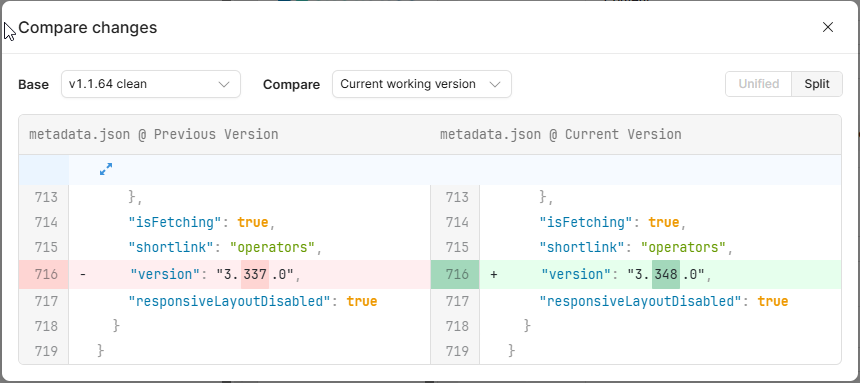
For most workflows, that’s perfectly fine.
In our case, we wanted:
- Full-text search across versions
- Standard Git diffs
- Date-bounded history exports
- A portable archive independent of the Retool UI
So we layered GitHub on top of Retool releases.
Best Practice (If You Plan Ahead)
The cleanest approach is:
After each published release, export the app JSON and commit it to GitHub (or your preferred Git provider).
That creates a structured, searchable archive aligned with each release.
In our case, we had to reconstruct history retroactively.
Retroactively Archiving Retool Releases
Here’s the workflow we used:
 Publish the current version
 Export the app JSON
 Revert to an older release
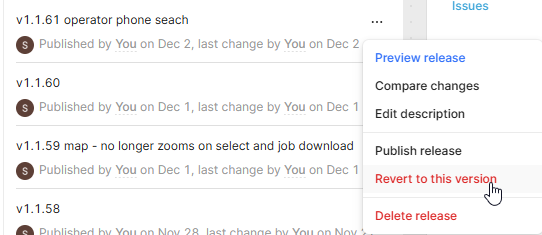
 Export that version
 Restore the latest release
 Repeat
Rename files clearly: 2025-01-20_v1.1.36.json
Organizing the GitHub Repository
We structured exports by module:
operators-app/

modules/

admin/releases/

dispatch/releases/

salt/releases/
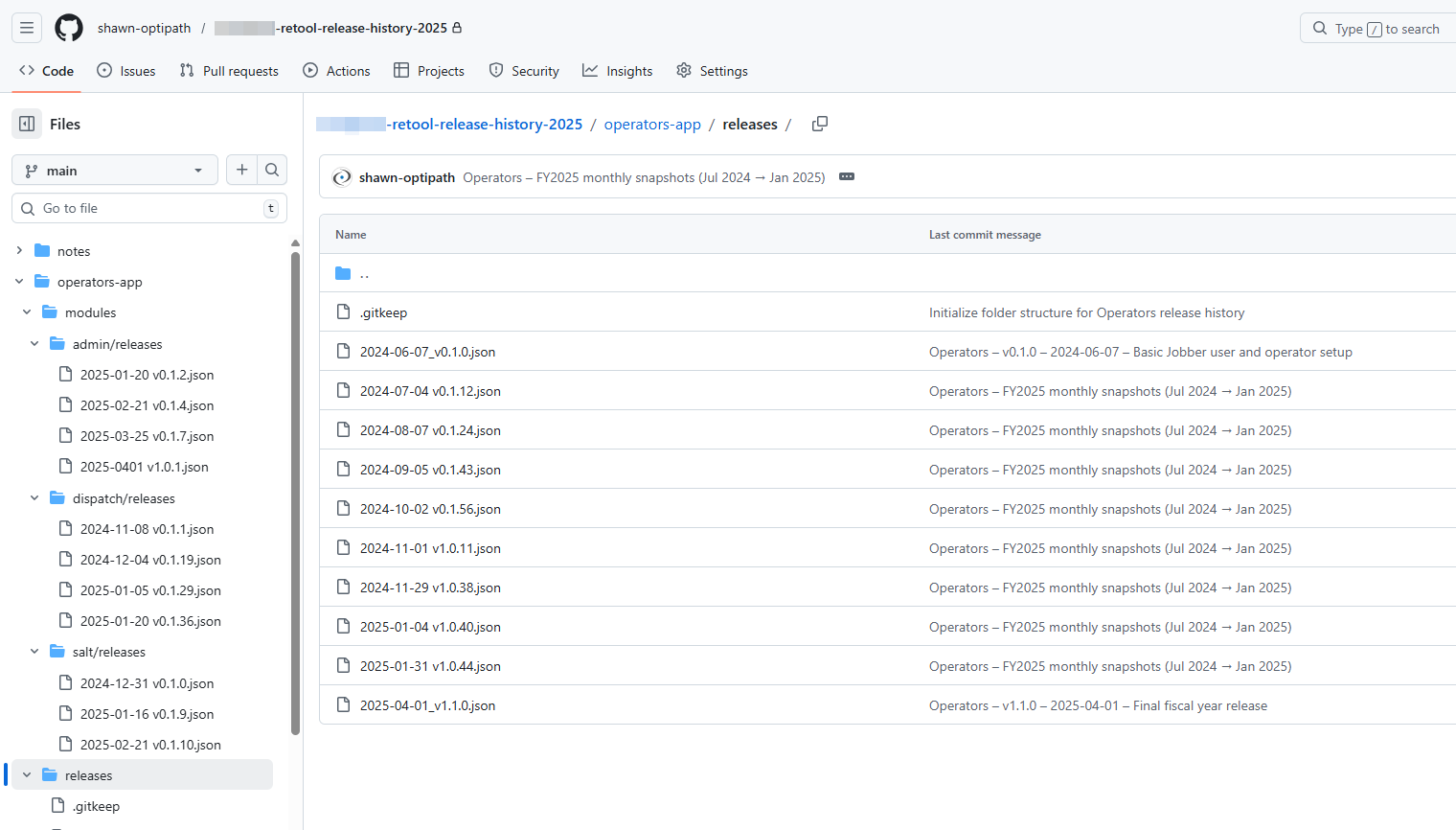
This allowed us to:
- Maintain chronological ordering
- Separate modules cleanly
- Diff versions using standard Git tools
- Search across releases
- Generate time-bound change logs
Retool remains the source of truth for publishing and reverts — GitHub simply provides an external archival layer.
Would love to hear how others approach long-term release traceability.