Hi @Arslan_Doddamani,
Sorry, but I was mistaken. You cannot listen for a websocket in the regular retool app. You must create a custom component and set up your useEffect in it like you have done above. Then you import it into your parent app and pass data (the specific row information from the websocket message) from the custom component to the main parent app.
In order to not have to fetch the api every single time, in the parent app, set up a global variable from your initial api fetch that captures the table data. Set this global variable as your data source for the table. When you receive the new data from the custom component, after it receives the websocket message, you can update this global variable to set whatever row needs to be locked.
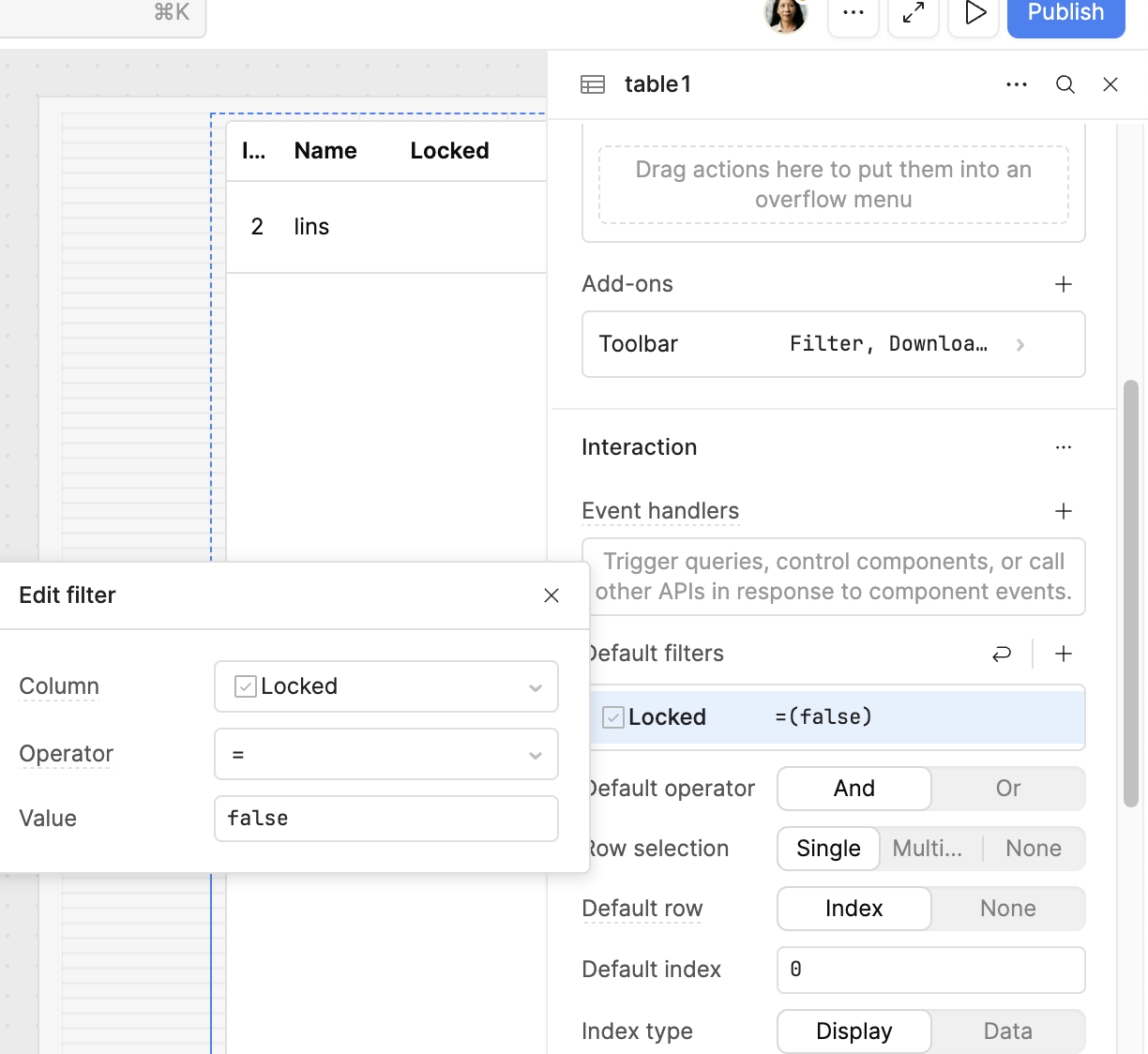
In the table itself, you can filter the rows by adding a filter that checks if the "Locked" column is true or false:
Here are some docs on how to set up your custom component and then pass the data back to the parent app.
Let me know how it goes.